

Which period tracking app is actually worth using? If you want a simple way to predict your next period, Flo is a strong starting point. If you’re trying to conceive, Glow offers more detailed fertility tracking. And if you’re looking for an FDA-cleared birth control app, Natural Cycles stands apart.
But there’s no single winner for everyone. The best period tracking apps serve different needs, from recording cramps and spotting to following temperature changes and identifying possible fertile days. Some are free, while others require subscriptions or wearable devices.
This comparison looks at five popular options—Natural Cycles, Flo, Glow, Apple Cycle Tracking, and Oura—using their published features, available clinical evidence, privacy controls, and practical costs. You’ll learn what each does well, where it falls short, and how to choose without paying for features you don’t need.
Key Takeaways
- Best for everyday period tracking: Flo offers an accessible way to record periods, symptoms, and cycle patterns.
- Best for birth control: Natural Cycles is FDA-cleared for contraception, with 93% effectiveness under typical use and 98% under perfect use.
- Best for trying to conceive: Glow supports fertility logs, basal body temperature (BBT), and ovulation test results.
- Best for iPhone users: Apple Cycle Tracking provides built-in tracking without requiring a separate paid period app.
- Best for wearable insights: Oura combines overnight temperature trends with sleep and cycle information, but requires hardware and a membership for full features.
- Accuracy and privacy matter: More data can help explain patterns, but predictions remain estimates. Always review how an app stores and shares sensitive information.
Helpful Products at a Glance
For people who prefer overnight temperature tracking, the Oura Ring 4 (Black, Size 8) offers a wearable option. It requires an Oura membership for detailed Cycle Insights, and the ring must fit correctly. Use Oura’s sizing guidance before choosing a size.
- ACCURACY - SMART SENSING - Oura tracks over 50 health metrics, including sleep, activity, stress, heart health, and women’s health metrics. Oura Ring 4 is powered by Smart Sensing, which adapts to you — delivering accurate, continuous data, day and night
- ACCURATE SIZING ESSENTIAL - Oura Ring 4 uses unique sizing different from standard jewelry rings; use the Oura Ring 4 Sizing Kit to find your perfect fit before purchasing

Why Period Tracking Apps Can Be Useful
Your menstrual cycle can change from month to month. Stress, illness, travel, sleep changes, and certain health conditions may affect when your period arrives. A tracker helps you see these patterns instead of trying to remember every date.
For example, you might notice that headaches appear before your period or that your cramps become more intense during certain months. Recording these changes can help you prepare and explain your symptoms during a healthcare appointment.

Useful information to track includes:
- Period dates: When bleeding starts, ends, and how long each cycle lasts.
- Flow: Light, moderate, or heavy bleeding and spotting between periods.
- Symptoms: Cramps, headaches, mood changes, bloating, and fatigue.
- Fertility signs: Basal body temperature, cervical mucus, and ovulation test results.
- Daily habits: Sleep, exercise, and other changes that may help explain symptoms.
According to the American College of Obstetricians and Gynecologists (ACOG), recording menstrual dates and bleeding patterns can provide useful information when evaluating abnormal bleeding.
However, an app cannot diagnose polycystic ovary syndrome (PCOS), thyroid problems, endometriosis, or another medical condition. Its greatest everyday value is organizing information and making changes easier to recognize.
How to Compare Period Tracking Apps
Before choosing an app, think about what you want to accomplish. Someone tracking occasional cramps needs different features from someone trying to identify fertile days or use a contraceptive method.
The five options below are compared using publicly documented features rather than an independently measured accuracy ranking. That distinction matters because an app’s advertised predictions are not proof that it will predict every user’s cycle correctly.

Five features worth comparing
- Prediction methods: Does the app rely mainly on calendar history, or can it also use temperature and ovulation test results?
- Daily usability: Can you record symptoms and bleeding without navigating several screens?
- Privacy: Does it offer clear controls for data sharing, deletion, and account access?
- Cost: Which functions are free, and what requires a membership or device?
- Data access: Can you review previous cycles and share useful records with a healthcare professional?
These factors are more useful than choosing an app based only on ratings or advertising. A feature-rich tracker may be less helpful if its daily logging routine feels too complicated.
Best Period Tracking Apps Compared
Each option has a different strength. Natural Cycles focuses on fertility awareness and contraception, while Flo and Glow provide broader cycle logging. Apple offers convenience, and Oura emphasizes wearable health trends.

| App | Best For | Main Strength | Main Limitation |
|---|---|---|---|
| Natural Cycles | Contraception | FDA-cleared fertility awareness method | Paid service requiring careful daily use |
| Flo | Everyday tracking | Easy symptom and period logging | Some features require Premium |
| Glow | Trying to conceive | Fertility signs and ovulation test logging | Detailed tracking can take more effort |
| Apple Cycle Tracking | iPhone users | Built into Apple Health | Limited to Apple’s ecosystem |
| Oura | Wearable-based insights | Overnight temperature and sleep patterns | Ring purchase and membership costs |
1. Natural Cycles — Best for Birth Control
Natural Cycles is the strongest choice here when contraception is your main goal. Unlike ordinary calendar trackers, its NC° Birth Control mode is FDA-cleared for preventing pregnancy when used according to its instructions.
Its algorithm uses temperature and menstrual information to assign daily fertility status. The app displays green days and red days, when users must avoid intercourse or use protection to reduce pregnancy risk.
Natural Cycles reports 93% effectiveness with typical use and 98% with perfect use over one year. That means approximately 7 out of 100 users become pregnant in a year with typical use. Perfect use still carries a pregnancy risk.
The method can use an appropriate thermometer or supported wearable devices. Compatibility depends on the exact device and integration, so check the current instructions before starting.
- Pros: FDA-cleared contraceptive method, temperature-based tracking, and fertility guidance.
- Cons: Subscription cost, daily adherence, and the need for protection or abstinence on fertile days.
- Best fit: Adults comfortable following a fertility awareness method and accepting its pregnancy risk.
Natural Cycles does not protect against sexually transmitted infections. If pregnancy would pose a serious health risk, discuss more effective contraceptive options with a healthcare professional. See the Natural Cycles clinical effectiveness information for the method’s reported figures.
2. Flo — Best for Everyday Period Tracking
Flo is a practical starting point if you mainly want to understand your period. It offers cycle predictions, symptom tracking, and educational content without requiring a wearable or daily temperature measurements.
You can record bleeding, cramps, mood changes, and other symptoms to build a useful history. Its premium subscription adds more content and personalized features, but many users can begin with the free functions.

Flo also offers Anonymous Mode, designed to separate identifying information from health data. However, enabling it can limit account recovery, wearable connections, and certain other features.
Privacy deserves particular attention because Flo reached a settlement with the Federal Trade Commission in 2021 over allegations involving earlier health-data sharing practices. Its current privacy controls should be evaluated separately from that history.
- Pros: Beginner-friendly tracking, free core functions, symptom records, and Anonymous Mode.
- Cons: Premium features cost extra, and Anonymous Mode has functionality trade-offs.
- Best fit: Beginners and anyone primarily interested in periods, symptoms, and general cycle awareness.
Review Flo’s privacy FAQ and the FTC case information before deciding which privacy settings suit you.
3. Glow — Best for Trying to Conceive
Glow is a useful choice for people who want more than a period calendar. Its Ovulation Tracker supports information such as basal body temperature, ovulation predictor kit results, and other fertility signs.
These records can help you follow patterns while trying to conceive. Glow also offers partner-sharing and community functions, although you may prefer to keep sensitive information private.
A key benefit is being able to combine different observations rather than depending on a calendar estimate alone. For example, an LH ovulation test may suggest that ovulation is approaching, while a later temperature rise can support the idea that ovulation occurred.
- Pros: Detailed fertility logging, ovulation test support, partner features, and cycle records.
- Cons: More data entry and optional paid features; predicted ovulation dates can still be wrong.
- Best fit: People trying to conceive who want to track several fertility signals.
Glow offers an Offline Data Protection mode that keeps sensitive records on the device, but some reminders, community features, exports, and restoration options become unavailable. Read Glow’s explanation of offline protection before switching modes.
4. Apple Cycle Tracking — Best Free Built-In Option for iPhone
Apple Cycle Tracking is a sensible choice if you already use an iPhone. It is available in the Health app, so you don’t need a separate paid period tracking subscription to record basic cycle information.
You can log flow, spotting, symptoms, and period dates. The app can estimate upcoming periods and alert you when recorded patterns suggest certain cycle changes.
Compatible Apple Watch models add useful information. Apple Watch Series 8 or later and supported Ultra models can use overnight wrist temperature to provide retrospective ovulation estimates after collecting enough data.
- Pros: No separate cycle tracking subscription, integrated Health records, and privacy controls.
- Cons: Apple-only ecosystem; temperature-based insights require compatible hardware and regular overnight wear.
- Best fit: iPhone users who want convenient period and symptom records without another subscription.
Important: Apple explicitly states that Cycle Tracking is not a birth control method. Its fertile window estimates should not be used to prevent pregnancy. Learn more in Apple’s Cycle Tracking documentation.
5. Oura — Best for Temperature and Recovery Trends
Oura is worth considering if you want your cycle information alongside sleep, temperature, and recovery patterns. Its Cycle Insights feature uses overnight measurements and logged period dates to show changes across menstrual cycles.
Instead of taking your oral temperature every morning, you wear a ring while sleeping. This can make tracking more convenient, particularly if you already use a smart ring for broader health information.
Oura Cycle Insights can display period predictions, temperature trends, and cycle information for eligible users. However, the results remain estimates, and a ring cannot directly measure your hormone levels or diagnose a cycle-related condition.
If you are considering the Oura Ring 4 (Black, Size 8), its temperature sensor and sleep-tracking features make it suitable for this kind of monitoring. It requires the correct ring fit, and an active Oura membership is needed for detailed insights.
There is also a separate cost consideration: using an Oura Ring with Natural Cycles requires a Natural Cycles subscription as well. You don’t need that additional service merely to use Oura’s own Cycle Insights.
- ACCURACY - SMART SENSING - Oura tracks over 50 health metrics, including sleep, activity, stress, heart health, and women’s health metrics. Oura Ring 4 is powered by Smart Sensing, which adapts to you — delivering accurate, continuous data, day and night
- ACCURATE SIZING ESSENTIAL - Oura Ring 4 uses unique sizing different from standard jewelry rings; use the Oura Ring 4 Sizing Kit to find your perfect fit before purchasing
- LONG LASTING BATTERY - With up to 8 days of battery life, no screens and no vibrations, Oura Ring 4 allows you to focus on the present. From a workout to a night out — you’re free to forget it’s on. Until you start getting compliments
- OURA MEMBERSHIP - First month of membership is included with purchase, for new members only. Subscription is 5.99/mo afterwards. Membership is tied to your account via the Oura App, not your physical ring
A wearable can make temperature tracking easier, but it isn’t essential for most people. If your only goal is remembering period dates and symptoms, a free phone app may be enough.
- Pros: Passive overnight measurements, sleep insights, and cycle trend reporting.
- Cons: Hardware expense, membership costs, correct sizing requirements, and limited usefulness without regular wear.
- Best fit: People who already value sleep and recovery tracking and want cycle information in the same app.
Oura’s own Cycle Insights should not be treated as contraception. For pregnancy prevention, a separate cleared method must be used according to its instructions. See Oura’s Cycle Insights guide.
What Actually Makes Period Predictions More Accurate?
Tracking apps use different methods to estimate when a period or ovulation might happen. Understanding those methods helps you interpret their results without expecting perfect predictions.
Basal body temperature: useful after ovulation
Basal body temperature (BBT) is your body’s temperature while fully at rest. Progesterone usually causes a small temperature rise after ovulation, which may remain until your next period.
To record oral BBT consistently, take your temperature when you wake up, before getting out of bed, eating, or drinking. Use the same measuring method and try to maintain a similar routine.
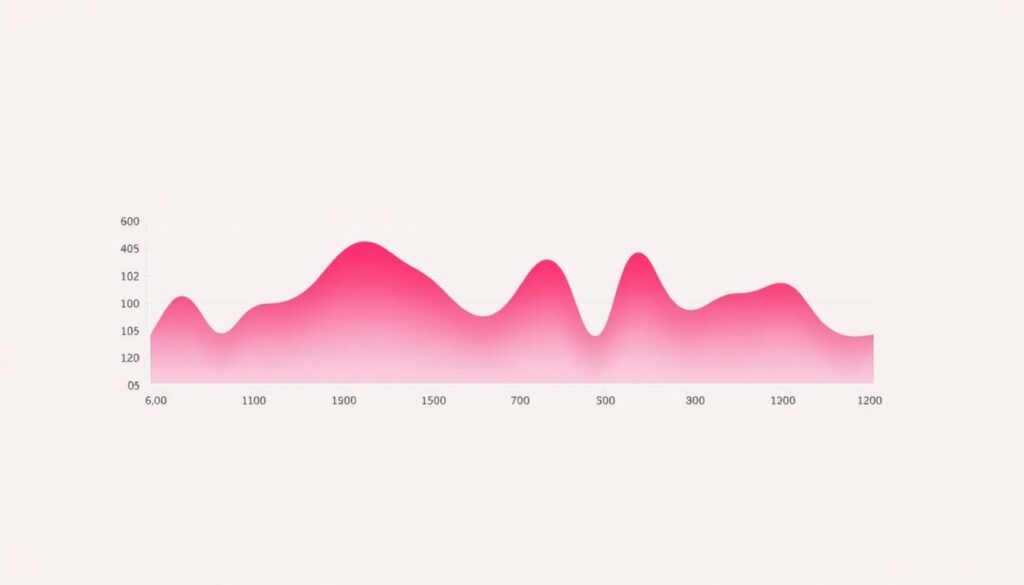
A sustained temperature rise can suggest that ovulation has already occurred. However, BBT does not reliably predict ovulation before it happens, and illness, fever, interrupted sleep, or measurement changes can affect readings.
For this reason, temperature should be understood as one useful signal rather than a guaranteed fertility prediction. ACOG explains these limitations in its fertility awareness guidance.
Ovulation tests and cervical mucus
Ovulation predictor kits detect a rise in luteinizing hormone (LH), which commonly happens before ovulation. A positive result suggests that ovulation may occur soon, but it doesn’t guarantee an egg will be released.
Cervical mucus also changes throughout the cycle. It often becomes clearer, stretchier, and more slippery around fertile days. Recording these changes alongside other signs can provide useful context.
If you’re trying to conceive, you may find these observations more helpful than simply relying on an estimated calendar date. You can record test results manually without buying a connected device.
Wearable temperature, heart rate, and sleep
Devices such as Oura, compatible Apple Watches, and WHOOP wearables can collect information overnight. This reduces manual entry and may help reveal changes that are difficult to notice day to day.
WHOOP also offers menstrual cycle insights alongside sleep and recovery information. Supported WHOOP devices can provide measurements to Natural Cycles through its compatible integration, but WHOOP’s own cycle display is not a contraceptive method.
Wearable temperature is also not identical to oral BBT. Each device measures and processes its signals differently, so don’t assume two trackers will produce matching dates or readings.
| Tracking Method | What It Can Show | Main Limitation |
|---|---|---|
| Cycle calendar | Estimated next period | Less dependable when cycle timing changes |
| Basal body temperature | Possible post-ovulation rise | Usually identifies a change after ovulation |
| LH ovulation tests | Hormone surge before expected ovulation | A positive test does not confirm ovulation |
| Cervical mucus | Changes associated with fertile days | Observations can be affected by other factors |
| Wearable measurements | Temperature, sleep, and physiological trends | Accuracy and supported uses differ by device |
How to Choose an App for Your Main Goal
Features matter, but your actual routine matters just as much. The easiest way to narrow your options is to decide which task you want the app to perform most often.
If you’re trying to avoid pregnancy
Choose an established contraceptive method rather than relying on a general period calendar. Natural Cycles is a relevant digital option because it has an FDA-cleared birth control mode, but it requires careful use and still has a pregnancy risk.
If you want greater pregnancy prevention effectiveness or cannot reliably follow fertility awareness instructions, ask about methods such as implants or intrauterine devices (IUDs). A period prediction alone is not adequate contraception.
If you’re trying to conceive
Glow is especially useful when you want to record ovulation test results, fertility signs, and symptoms. Natural Cycles also offers a conception-focused mode.
Remember that pregnancy depends on more than estimating an ovulation date. If conception is taking longer than expected, fertility concerns should be discussed with a clinician rather than depending only on increasingly detailed app predictions.
If you want simple everyday tracking
Start with Flo or Apple Cycle Tracking. Record your period start and end dates, flow, and the symptoms that matter to you. You don’t need to track every available category to gain useful information.
For someone who dislikes subscriptions, Apple’s built-in option is particularly convenient when they already have an iPhone.
If you want to understand workouts and recovery
Oura and WHOOP can help you follow sleep, temperature, and recovery patterns alongside your cycle. This information may explain why some days feel different, but it should not be turned into rigid workout rules.
Research does not support one universal exercise schedule for every menstrual phase. Your energy, symptoms, training goals, and recovery needs should guide adjustments. For practical examples, see our guide to cycle syncing for workouts.
Privacy: What Should You Check Before Logging Sensitive Data?
Period apps can store highly personal information about bleeding, sexual activity, fertility intentions, symptoms, and pregnancy. Protecting this information deserves as much attention as prediction features.
Before signing up, review these settings:
- Data collection: What information does the app collect beyond what you enter?
- Third-party sharing: Are analytics, advertising, or other outside services involved?
- Account security: Can you use a passcode, biometric lock, or stronger sign-in protection?
- Export and deletion: Can you download your records and remove them if you leave?
- Wearable permissions: Which measurements can move between connected services?
Apple Health offers encryption and controls over sharing. Flo offers Anonymous Mode, while Glow has an offline protection option. These features work differently and may limit backups, syncing, or exports.
Don’t assume that every wellness app follows the same privacy rules as your doctor’s office. Read the actual policy, especially if privacy is your most important consideration. Avoid connecting unrelated services simply because an app offers the option.
What If You Have Irregular Periods?
Irregular cycles make calendar predictions harder. If one cycle lasts 27 days and another lasts 39, an app cannot safely assume ovulation or your next period will occur on a fixed day.
Some trackers adjust their estimates as new information arrives. But collecting more history does not automatically fix unpredictable ovulation, and an app may continue showing uncertain dates.
Irregular periods can occur during adolescence, perimenopause, and after certain reproductive changes. They may also relate to PCOS, thyroid conditions, medication, stress, or other factors.
In these situations, focus on recording what actually happens rather than trying to make your cycle match an app’s forecast. Useful entries include:
- Actual bleeding dates, including spotting
- Changes in flow and period duration
- Pain severity and its effect on daily activities
- Missed periods or unusually long gaps
- Medication changes, illness, and other relevant circumstances
If your periods suddenly change, become unusually heavy, stop unexpectedly, or cause severe pain, arrange a healthcare assessment. Seek urgent medical help for heavy bleeding with dizziness, fainting, chest pain, or shortness of breath.
How to Start Tracking Your Cycle Without Feeling Overwhelmed
You can begin with a few entries rather than purchasing hardware or completing a long daily checklist.
- Choose one main goal. Decide whether you’re tracking periods, symptoms, fertility, or recovery.
- Enter your recent cycle history. Add previous dates if you know them, but avoid guessing when you’re unsure.
- Log bleeding consistently. Mark the first day of your period, its duration, and any unusual spotting.
- Add only useful symptoms. Track cramps, headaches, fatigue, or other changes that affect your life.
- Review patterns over time. Compare several cycles without expecting every forecast to be correct.
- Check privacy and export settings. Make sure you understand what happens if you change phones or stop using the service.
Start with a free option if it meets your needs. Consider a paid upgrade only when you can name the specific benefit you will use regularly, such as a necessary integration or detailed fertility feature.
If an app encourages constant checking or makes you anxious about ordinary fluctuations, simplify your tracking routine. Useful information should support your decisions, not make every small change feel alarming.
Are Premium Period Tracking Apps Worth Paying For?
Premium features can be valuable when they support a clear goal, but subscription costs do not prove greater medical accuracy.
| Option | Cost Structure | Worth Considering When |
|---|---|---|
| Natural Cycles | Paid subscription; compatible measuring method needed | You specifically want its cleared contraceptive or conception features |
| Flo | Free functions with Premium upgrade | You’ll regularly use its additional content and tools |
| Glow | Free tracking with optional paid features | You need more detailed fertility or related features |
| Apple Cycle Tracking | Built into compatible Apple devices | You want basic tracking without another app subscription |
| Oura | Ring purchase plus membership for detailed insights | You also value sleep, activity, and recovery tracking |
Before subscribing, check the current price in the official app or store. Promotional offers, billing periods, renewal rates, trials, and available features can change.
If you’re deciding between a free tracker and an expensive wearable, remember that a ring is not necessary for logging periods. Its additional value comes from convenient measurements and broader health trends.
Frequently Asked Questions
Which period tracking app is the most accurate?
There is no proven universal winner for every person’s period predictions. Accuracy depends on the app’s methods, cycle variability, and the information available. Natural Cycles has published contraceptive effectiveness evidence, but those figures should not be confused with a general accuracy score for predicting period dates.
Can I use Flo or Apple Cycle Tracking as birth control?
No. General fertile window predictions are not reliable substitutes for contraception. Apple specifically warns against using Cycle Tracking for birth control. Natural Cycles has an FDA-cleared contraceptive mode, but it must be followed correctly and still carries a pregnancy risk.
Do period apps work for PCOS or irregular periods?
They can still help record bleeding, symptoms, and long-term patterns. However, ovulation and period predictions may be less reliable when cycles vary substantially. These apps cannot diagnose or treat PCOS.
Does an Oura Ring or Apple Watch improve fertility predictions?
Compatible wearables provide additional temperature and physiological measurements, which some algorithms use to improve estimates. That does not guarantee greater accuracy for every user. Temperature changes usually help identify ovulation after it occurs, and only specifically cleared methods should be used for contraception.
How long does it take for a period tracking app to learn my cycle?
Some apps offer an estimate after your first entries. Several logged cycles can provide a better picture of your usual pattern, while some wearable functions need a separate learning period. There is no guaranteed number of weeks or cycles after which predictions become accurate.
Bring a record showing period dates, bleeding amount, unusual spotting, pain severity, and any changes that concern you. A simple calendar or short summary may be just as helpful as a detailed app export.
Are free period tracking apps good enough?
For recording periods and symptoms, often yes. Flo’s free functions and Apple Cycle Tracking can cover many everyday needs. Paid tools become more relevant when you need a particular fertility method, supported device integration, or additional features.
Final Verdict: Which Period Tracking App Should You Choose?
For most beginners, Flo is a practical first choice. It provides accessible period and symptom tracking without requiring specialized equipment. Apple Cycle Tracking is an equally sensible alternative for iPhone users who prefer built-in tools.
If your goal is conception, consider Glow for its detailed fertility records. If pregnancy prevention is your priority, Natural Cycles is the option in this comparison with an FDA-cleared contraceptive method, although its effectiveness depends on how it is used.
Oura is most attractive when you want cycle insights alongside sleep and recovery data. It can add convenience, but its hardware and membership costs are difficult to justify for basic period logging alone.
Start with the information you actually need, choose an app you’ll use consistently, and review its privacy controls. Treat predictions as estimates, keep meaningful symptom records, and use those records to support better conversations about your health.