

Sleep trackers can reveal patterns that are hard to notice from memory alone. Over several weeks, consistent tracking can make it easier to compare sleep timing, awakenings, caffeine, stress, exercise, and bedtime habits instead of judging your sleep by a single rough night.
But a tracker does not diagnose insomnia or directly measure every stage of sleep with clinical precision. Consumer devices are most useful when you treat their numbers as clues, combine them with a simple sleep log, and use the patterns to guide small behavior changes.
This guide explains what sleep trackers measure, how different device styles compare, how to build a useful baseline, and how to avoid turning nightly scores into another source of sleep anxiety.
Key Takeaways
- Use sleep-tracker data to identify multi-night patterns, not to chase a perfect nightly score.
- Comfort and consistency usually matter more than collecting the largest possible number of metrics.
- Consumer sleep stages are estimates and should not be treated as a medical diagnosis.
- Changing one habit at a time makes it easier to understand what may actually affect your sleep.
- If tracking increases anxiety, reduce how often you check the data or temporarily stop using it.
Helpful Products at a Glance
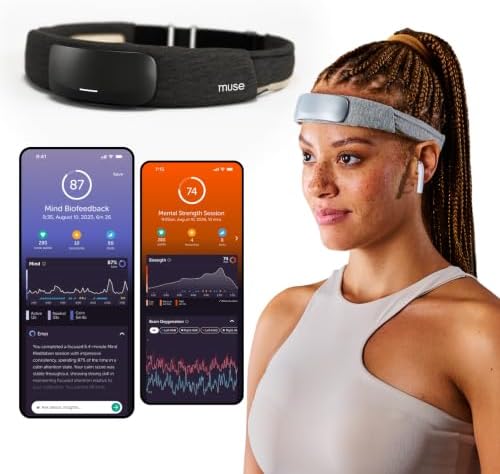
For people who specifically want a head-worn tracker that records brain-related signals, Muse S Athena offers EEG-based monitoring, although wearing a headband overnight will not suit everyone.
- Deep Sleep Boost – Newest feature designed to detect slow-wave sleep and sustain it longer for a more continuous deep sleep, supporting better physical and mental recovery. It complements the Sleep Assist feature that helps you fall asleep faster.
- Longer Focus, Less Stress, More Calm – Muse S Athena is a smart brain-sensing headband designed to help you better understand your brain so you can improve focus, calm your busy mind, and develop a stronger mental fitness foundation.
Why Sleep Tracking Can Be Useful for Insomnia
A sleep tracker cannot tell you everything about why you are awake at night, but it can make patterns easier to see. Instead of relying on how one night felt, you can compare sleep and wake times across several days and look for connections with caffeine, alcohol, late meals, exercise, stress, or irregular schedules.
That distinction matters. The most useful question is usually not, “Was my sleep score good last night?” It is, “What keeps happening across several nights, and is there something practical I can change?”
What sleep trackers actually measure
Most consumer trackers do not watch sleep directly. They collect signals such as movement, heart rate, breathing, skin temperature, or blood-oxygen trends and then use algorithms to estimate when you were asleep, awake, or in different sleep stages.
That works reasonably well for spotting broad patterns, but quiet wakefulness can sometimes be mistaken for sleep. Deep sleep and REM estimates can also vary between devices. A medical sleep study remains much more comprehensive because it records brain waves and other physiological signals directly.
| Signal | What it can help show | How to use it |
|---|---|---|
| Movement | Restlessness and possible awakenings | Compare restless nights with bedtime habits or environment |
| Heart rate | Changes in overnight cardiovascular activity | Look at trends relative to your normal baseline |
| Breathing | Changes in respiratory patterns | Use repeated unusual patterns as a reason to discuss symptoms with a clinician |
| Temperature | Skin or bedroom-temperature trends | Compare with bedding and room-comfort changes |
| Sleep timing | Bedtime, wake time, and estimated duration | Watch for irregular schedules and week-to-week changes |
Why trends matter more than individual scores
Sleep naturally varies from night to night. Stress, illness, travel, exercise, room temperature, and even worrying about sleep can change what happens on a particular evening.
For that reason, one unexpectedly low score tells you very little. Weekly patterns are much more useful. If you regularly sleep better after an earlier caffeine cutoff or a consistent wake time, that pattern deserves more attention than whether a device labeled one particular night as “good” or “poor.”
Wearables, Headbands, Under-Mattress Sensors, or Apps?
The best tracking style is the one you can use consistently without making bedtime more complicated. Each category has different strengths and limitations.
Rings and wrist-worn trackers
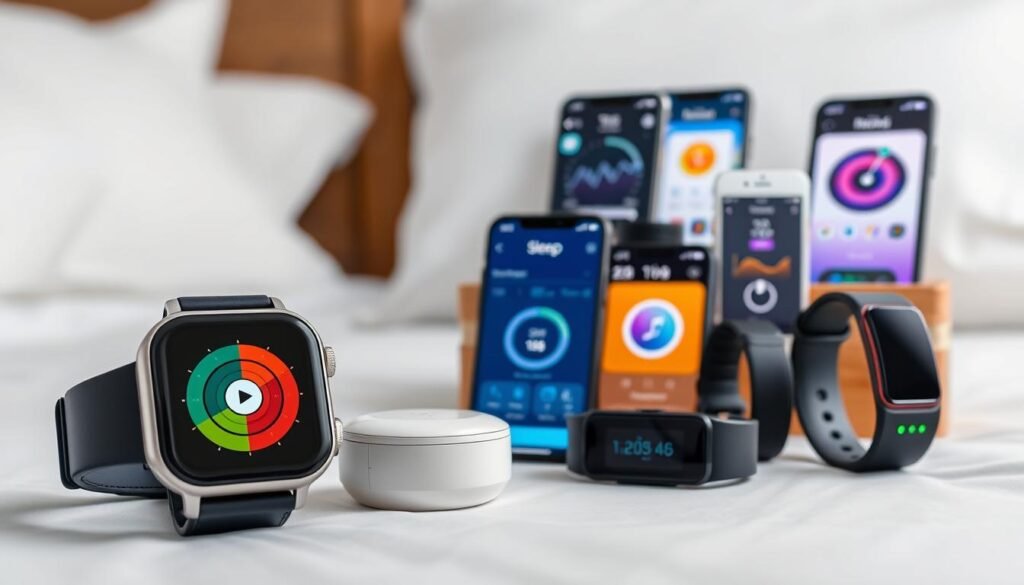
Rings and watches are convenient if you also want daytime activity, heart-rate, recovery, and exercise data. Because they stay on the body, they can combine daytime and nighttime trends in the same app.
The main limitation is comfort. A device that feels perfectly fine during the day can become irritating at night. Battery charging also matters because missing two nights every week can make trend analysis less useful.
Headbands and brain-sensing sleep trackers
Head-worn devices can collect EEG signals, which are closer to the type of brain activity used for formal sleep staging than the movement and optical heart-rate signals used by most watches and rings. That does not make a consumer headband equivalent to a full sleep-lab study, but it gives this category a different type of information.
Muse S Athena is one current example. It combines EEG with additional sensors and is designed for sleep and mental-fitness tracking. Its biggest practical trade-off is straightforward: you have to be comfortable sleeping with a headband. Someone who already dislikes watches, masks, or anything touching the head at night may be better served by another tracking style.
- Deep Sleep Boost – Newest feature designed to detect slow-wave sleep and sustain it longer for a more continuous deep sleep, supporting better physical and mental recovery. It complements the Sleep Assist feature that helps you fall asleep faster.
- Longer Focus, Less Stress, More Calm – Muse S Athena is a smart brain-sensing headband designed to help you better understand your brain so you can improve focus, calm your busy mind, and develop a stronger mental fitness foundation.
- Ready to use immediately — get advanced EEG + fNIRS tracking for sleep, focus, and recovery; optional Premium subscription adds AI Coach, deeper brain insights, and access to 500+ meditations.
- Wearable EEG and fNIRS Biofeedback — Put on the soft, adjustable headband and position the sensors to make skin contact. Connect to the Muse app via Bluetooth, select a meditation, sleep or brain training experience, and begin to focus, relax or unwind.
Brain-signal data can be interesting if you want more detailed sleep information, but more data does not automatically lead to better sleep. The device still works best as a tool for identifying patterns rather than as a way to prove that every minute was spent in a particular stage.
If detailed graphs make you more anxious, the extra information may actually be counterproductive. In that situation, a simpler tracker—or no tracker at all—can be the better choice.
Under-mattress sensors
Under-mattress sensors remove the need to wear anything. Once installed, they can monitor sleep-related movement and other signals without adding another item to your bedtime routine.
The trade-off is that they stay with the bed. They are less useful if you travel frequently or want daytime fitness and recovery data from the same device.
Phone apps
Apps have the lowest barrier to entry because you may not need additional hardware. Depending on the app and connected devices, they can help track sleep schedules, bedtime routines, alarms, or lifestyle factors.
Phone-only tracking is generally more limited than a dedicated sensor. If your main goal is building a regular schedule rather than studying physiological data, however, a simple sleep diary or app may be enough.
Sleep Tracking for Insomnia: Focus on Patterns, Not Perfect Stages
Consumer trackers are good at making data accessible. They can summarize several hours of sensor readings into estimated sleep duration, interruptions, stages, and a simple score. That convenience is useful, but the score can hide uncertainty.
A watch may decide that very still wakefulness was light sleep. Another device may place the same period in a different stage. Algorithms also change over time, so two devices using similar sensors do not necessarily produce identical results.
Johns Hopkins Medicine similarly advises treating sleep-tracker measurements as estimates while using them to recognize patterns in sleep habits. For a deeper explanation of these limitations, see Do sleep trackers really work?
What a Sleep Lab Measures That Your Tracker Does Not
Polysomnography is the clinical standard for detailed sleep assessment. A laboratory study can record brain waves, eye movements, muscle activity, breathing, oxygen, heart activity, and other signals simultaneously.
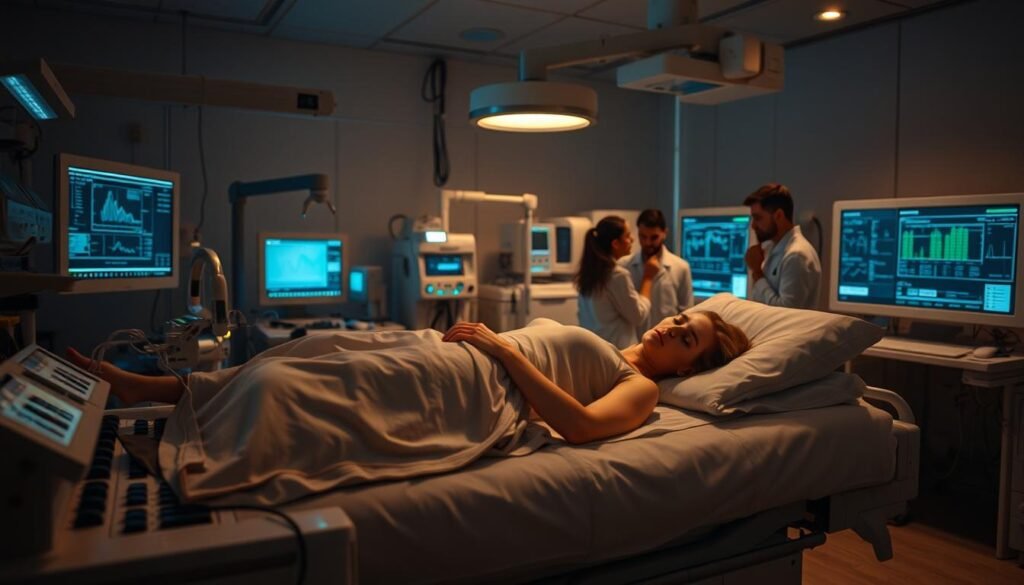
Most wrist and ring trackers rely instead on combinations of movement and cardiovascular signals. They infer what is happening rather than directly reproducing the full set of measurements used in a sleep laboratory.
This does not make consumer trackers useless. It simply changes their role. They are better suited to observing everyday trends over many nights than diagnosing a sleep disorder from a nightly score.
Repeated loud snoring, witnessed pauses in breathing, severe daytime sleepiness, or concerning breathing patterns deserve clinical evaluation rather than self-diagnosis through a wearable.
A Better 30-Day Sleep Tracking Plan
You do not need to change everything on the first night. In fact, doing so makes the data harder to interpret because you will not know which change mattered.
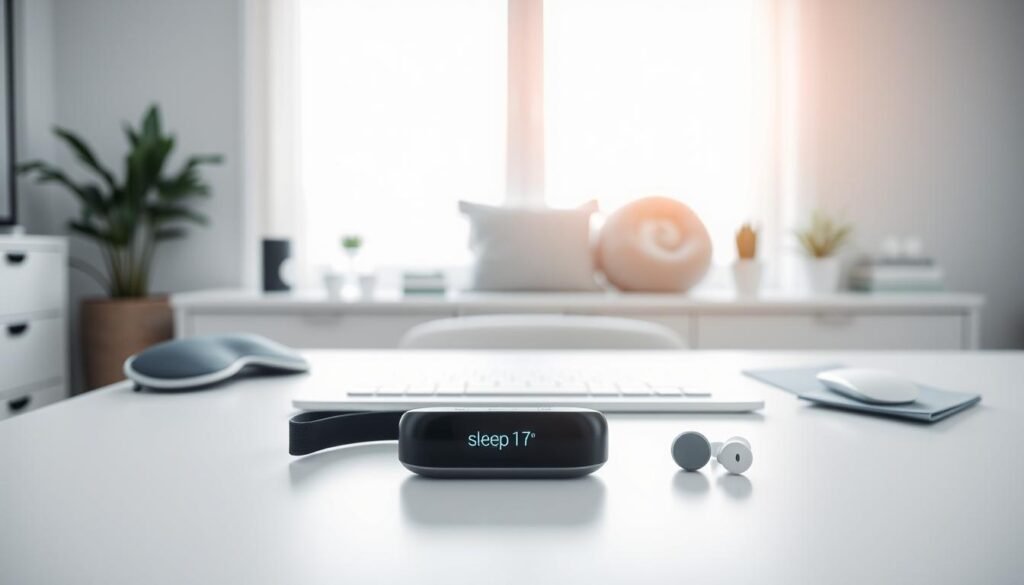
Days 1–7: Establish your baseline
For the first week, keep your routine reasonably normal. Record bedtime, estimated sleep time, wake time, naps, caffeine, alcohol, exercise, stress, and anything unusual about the day.
The goal is not to produce an impressive score. You are trying to learn what your ordinary week looks like.
Days 8–14: Change one obvious variable
Choose one habit that could reasonably affect your sleep. You might move caffeine earlier, reduce late-night screen stimulation, or make your wake time more consistent.
Keep everything else as steady as practical. Compare the new week with your baseline, including how you feel during the day—not just what the device says.
Days 15–21: Test another practical change
If the first change was useful, keep it. Then experiment with another factor such as a calmer wind-down routine, earlier alcohol cutoff, bedroom temperature, or late meals.
Again, avoid changing five things at once. Slow experimentation produces less dramatic-looking data but more useful information.
Days 22–30: Look for repeatable patterns
At the end of the month, compare weeks rather than isolated nights. Ask:
- Did my sleep and wake times become more consistent?
- Which habits repeatedly appeared before better or worse nights?
- Did I feel more alert during the day?
- Did awakenings become less disruptive?
- Did tracking itself make bedtime calmer or more stressful?
The final question is easy to overlook. A technically sophisticated tracker is not helping if checking it increases bedtime anxiety.
Turn the Data Into Better Sleep Habits
The tracker should support behavior change, not become the behavior change. A better graph does not automatically mean better sleep.
For persistent insomnia, Cognitive Behavioral Therapy for Insomnia (CBT-I) is an evidence-based treatment that works on the thoughts and behaviors that maintain sleep difficulty. Tracking can complement that process by helping you record schedules and patterns, but the device itself is not the treatment.
Useful habits to test include:
- Keeping a reasonably consistent wake time.
- Creating a predictable wind-down period.
- Reducing clock-watching when you cannot sleep.
- Moving caffeine earlier if it appears connected with difficult nights.
- Using dimmer evening light when practical.
- Keeping the bedroom comfortable, dark, and quiet.
- Using reading, gentle stretching, or relaxation as low-stimulation bedtime anchors.
If insomnia continues despite sensible changes, consider discussing evidence-based treatment options with a clinician. The Mayo Clinic insomnia treatment overview provides a useful introduction to evaluation and treatment approaches.
How to Avoid Orthosomnia and Sleep-Score Anxiety
More tracking is not always better. Some people begin to worry about sleep because the device tells them a night was poor—even when they initially felt fine. This excessive focus on optimizing sleep data is sometimes called orthosomnia.
The warning sign is not simply checking your tracker. It is allowing the number to control how you think you should feel.
Check trends less often
You do not need to study graphs immediately after waking. Try reviewing the information every few days or once a week. A wider window also makes random night-to-night changes less distracting.
Hide metrics that are not useful
If sleep-stage percentages make you anxious but bedtime and wake-time trends are helpful, focus only on the latter. More available data does not mean you need to use all of it.
Compare the score with real life
Ask how alert, calm, and functional you feel during the day. A wearable reading should not automatically override your own experience.
Take a break when the device becomes part of the problem
If you are staying awake worrying about the score you will receive the next morning, stop tracking for a while. Sleep should not become a performance test.
What to Look for Before Buying a Sleep Tracker
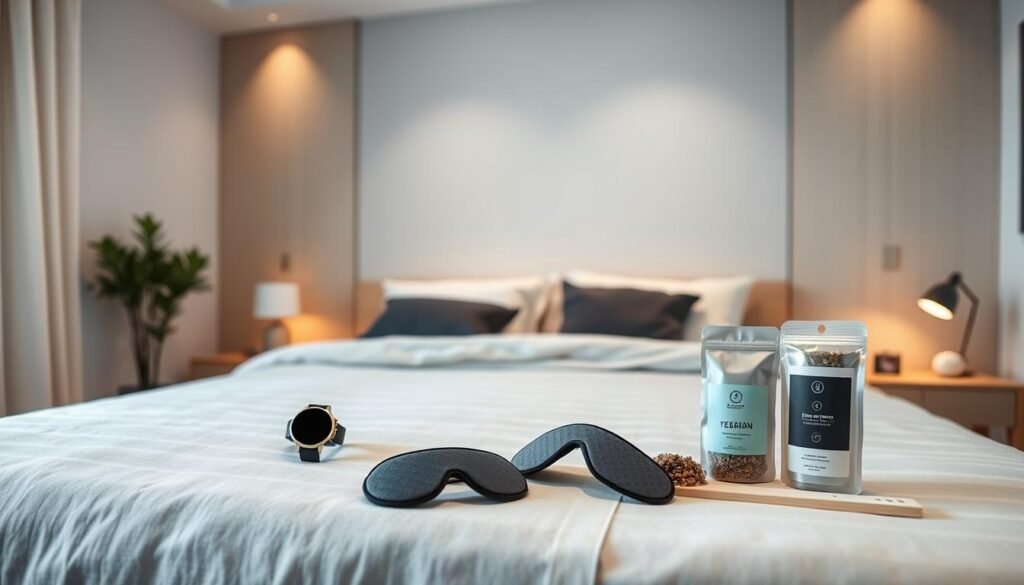
Do not choose a tracker solely because it collects the most metrics. Start with the practical issues that determine whether you will actually keep using it.
| Consideration | Why it matters | What to check |
|---|---|---|
| Comfort | An uncomfortable device may reduce consistent use | Fit, weight, headwear versus wrist or ring design |
| Charging | Frequent charging can create gaps in data | Battery routine and charging time |
| Subscription | Some features may require ongoing payment | Which insights remain available without membership |
| Data export | Useful if you want long-term records | Export formats and health-platform integrations |
| Privacy | Sleep and health data can be sensitive | Storage, deletion, sharing, and account controls |
| Sensor type | Different sensors answer different questions | Whether you actually need EEG, heart-rate, movement, or temperature data |
A return or trial period can also be valuable. A tracker that looks ideal on a specification sheet may simply be uncomfortable to sleep with.
When Sleep-Tracker Data Should Prompt a Conversation With a Clinician
A consumer device should not be used to diagnose sleep apnea, insomnia, or another sleep disorder. Still, repeated patterns can give you useful information to bring to an appointment.
Seek professional evaluation if sleep problems persist, daytime sleepiness interferes with work or driving, someone notices repeated pauses in your breathing, or loud chronic snoring occurs alongside other symptoms.
Bring several weeks of notes rather than only screenshots of your worst night. Include bedtime, wake time, awakenings, naps, caffeine, medications, alcohol, stress, and daytime symptoms. That context is often more informative than a single proprietary score.
Conclusion
Sleep tracking works best as a pattern-finding tool. Over 30 days, it can help you see how schedules and habits line up with better or worse nights, but the device itself does not fix insomnia.
Start with a baseline, change one variable at a time, and review trends over several nights. Choose a tracker only if its form factor fits your routine and the information helps you make calmer, more practical decisions.
If the data begins to create pressure, simplify what you track or take the device off. And when persistent insomnia, breathing problems, or serious daytime sleepiness are involved, use the tracker as supporting information rather than a substitute for proper evaluation.
FAQ
What can a sleep tracker actually tell me about insomnia?
It can help you identify patterns in sleep timing, estimated duration, awakenings, movement, heart-rate trends, and other measurements. Pairing those patterns with a sleep diary can reveal associations with caffeine, stress, exercise, alcohol, late meals, or irregular schedules. It cannot determine the medical cause of insomnia by itself.
Which type of sleep tracker is best?
There is no single best form factor for everyone. Rings and watches are useful for combining sleep with daytime activity. Headbands can collect EEG signals but require wearing something around the head. Under-mattress sensors avoid wearables, while apps are simple and inexpensive but usually provide less physiological data.
Are consumer sleep stages accurate?
They are estimates. Most consumer devices infer sleep stages from movement, heart rate, and related signals rather than measuring the full set of signals recorded during polysomnography. Use stage estimates for broad trends rather than treating minute-by-minute results as exact.
Can a consumer headband measure brain activity?
Some headbands use EEG electrodes to record electrical activity from the scalp. That provides a more direct brain-related signal than ordinary wrist movement or optical heart-rate tracking, but a consumer headband still does not reproduce a complete clinical sleep study.
How long should I track before changing something?
A week is a practical starting point for establishing your normal pattern. After that, change one habit at a time and observe several nights before drawing conclusions. Thirty days gives you enough room for a baseline and a few controlled experiments without requiring endless tracking.
Can sleep tracking make insomnia worse?
Yes. Constantly checking scores or trying to achieve perfect sleep data can increase anxiety in some people. If you notice that happening, review trends less often, hide unnecessary metrics, or stop tracking temporarily.
Can a sleep tracker diagnose sleep apnea?
No. Some devices can record oxygen-related or breathing-related signals that may raise questions worth discussing with a clinician, but consumer tracker data should not be treated as a diagnosis. Repeated breathing pauses, loud snoring, or significant daytime sleepiness warrant proper medical evaluation.
What is the most useful sleep metric to watch?
For many people, consistent sleep and wake timing plus estimated total sleep duration are more practical than obsessing over individual stage percentages. The most useful metric is one that helps you make a realistic change without increasing anxiety.