

Can a smart temperature system beat simple nightly habits for deeper rest?
This Eight Sleep Pod 5 Review compares a dual‑zone, water‑based mattress cover and hub to classic sleep hygiene to see what really changes morning recovery.
The setup heats or cools each side and tracks sleep without a wearable. New physical buttons on the bed and blanket compatibility make on‑the‑fly adjustments easier. The hub adds a speaker, needs floor space, and one hub powers both sides.
The temperature range spans 55°F–110°F with Autopilot stages that adjust across bedtime, night, and dawn. Daily auto‑priming cuts maintenance to occasional top‑ups and filter swaps twice a year, while a two‑year warranty and a 30‑night trial reduce risk.
We’ll weigh comfort, noise, tracking accuracy, warranty, and total cost against lower‑tech strategies so you can decide which approach moves the needle for you. For a practical companion read, check my 30‑day tracking experiment.
Key Takeaways
- Smart temperature control targets individualized comfort for partners with different needs.
- Physical buttons and blanket support make nightly tweaks easier than older models.
- App tracking syncs with Apple Health but trends beat single‑night precision.
- Maintenance is low: auto‑priming, occasional top‑ups, and semiannual filters.
- Cost vs basics: high upfront and subscription costs may not beat a consistently cool room and good hygiene for everyone.
Eight Sleep Pod 5 Review: Quick Take and Who It’s For
This smart mattress cover gives each partner a separate microclimate and learns preferences across nights. It’s built for people who want hands‑off routines and precise temperature control without wearing a tracker.
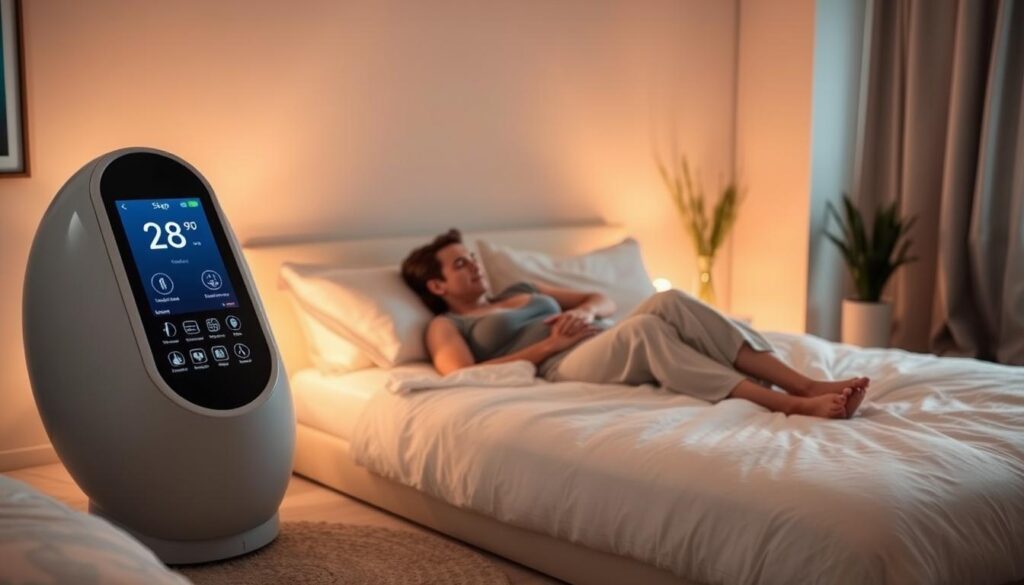
Best-fit sleepers and who should skip it
Who benefits: Couples with clashing temperature needs, very hot or cold sleepers, and anyone who can’t stabilize room temps. The dual‑zone design and Autopilot make consistent comfort easier night after night.
Who should skip: Single sleepers who can already control their bedroom climate, people in extremely hot rooms where baseline cooling still matters, those content with current rest, and snugglers who dislike an invisible boundary on the bed.
Rating rationale: comfort, control, and real-world convenience
Comfort & control: Long‑term testers often rate the base comfort highly because the modern cover keeps the original bed feel while adding meaningful temperature shifts at bedtime and predawn.
Usability & app: Physical buttons improve 3 a.m. adjustments and the app handles schedules reliably. Alarms include thermal cues and a Gentle Rise vibration to stagger partner wakeups.
Trade‑offs & value: The biggest knocks are price, a required subscription for some features, and the hub’s space and warm‑air output. For couples or climates with wide swings, the system often justifies the cost; for others, traditional hygiene may suffice.
“A high‑end temperature setup for people who prioritize nightly comfort control and don’t mind subscriptions.”
For a deeper hands‑on analysis, see my full technical review and long‑term notes.
What’s New in Pod 5: Physical Buttons, Blanket Compatibility, and Hub Changes
Physical controls and blanket integration are the main practical upgrades this year. They make on-the-spot adjustments easier and add an optional top-layer that mirrors each side.
This model swaps touch zones for tactile buttons, so adjustments feel immediate and reliable.
Physical buttons sit at each side for up/down and a center action (snooze/dismiss/hot-flash). They are tactile, easy to find in the dark, and sync instantly with the app.

How this year’s hub and blanket change things
The new hub adds a built-in speaker for alarms and soundscapes. Many users skip it in favor of phone alarms or Gentle Rise vibrations.
The active blanket mirrors each side via water tubes. It feels impressive but is heavier and pricier than standard comforters.
Pod 5 vs Pod 4 vs Pod 3: quick comparison
| Model | Control | Notes |
|---|---|---|
| Pod 5 | Physical buttons + app | Blanket compatible; quieter hub; same dual-zone temperature range |
| Pod 4 | Tap zones + app | Fitted-sheet cover; similar comfort; fewer tactile controls |
| Pod 3 | Older encasement design | Louder hub; bulkier setup; less refined app |
Upgrade advice: If you own a recent model, upgrades are incremental. New users and those who want the blanket or physical buttons will see the clearest gains.
For product specifics, see the pod cover.
Setup and Day-One Experience in the Bedroom
Expect a fast, hands-on install that gets your mattress-ready in under an hour. Small choices—hub placement and tube routing—make a big difference for quiet operation and easy maintenance.
Getting started is mostly physical: place the hub with its vents clear, pair the app, and fit the single-piece fitted cover like a sheet. The cover slips on faster than old zip‑encasement designs and keeps the mattress feel intact.
Tip: route the tubes behind a headboard or under the frame in a gentle curve. Avoid tight bends; tubes are long and a bit bulky, so keep them accessible for future top-ups and checks.
Quick, practical setup checklist
- Unbox and position the hub with side vents clear and easy access.
- Fit the fitted cover over the mattress; it installs like a regular sheet.
- Route and connect tubes until they click; attach the USB and seating insert.
- Fill with distilled water when the app prompts; priming is faster than older models.
- Run a short heat/cool cycle to confirm both sides respond and there are no kinks.

| Step | Typical time | Notes |
|---|---|---|
| Hub placement & pairing | 10–15 minutes | Leave clearance for vents; choose side for tube routing |
| Fitted cover install | 5–10 minutes | Single‑piece cover fits faster than encasements |
| Tube connect & priming | 15–30 minutes | Use distilled water; priming is mostly automated |
On night one, allow a little time to dial bedtime/night/dawn temps and try the physical buttons. If you want a third‑party perspective on real-world performance, check this compact testing summary.
Temperature Control Deep Dive: Heating, Cooling, and Dual-Zone Precision
Dual zones let partners fine‑tune comfort while the system times changes so sleep stages match thermal cues. Use degrees for precision or the −10 to +10 relative scale for simple tweaks.
Dual‑zone temperature control covers 55°F–110°F, or the relative −10 to +10 scale. Autopilot runs three phases—bedtime, night, dawn—and can add thermal alarms that nudge wakeups with gentle heat or cooling.
Speed, fans, and room effects
Heating reaches targets faster than deep cooling. In tests, max cooling needs both hub fans and raises noise; moderate settings often keep only one fan on and stay quiet.
Practical tips and couples’ dynamics
- Use the midrange for most nights; save extremes for heat waves or cold snaps.
- Program phases—warm at bedtime, cooler for deep sleep, warmer at dawn.
- Let Autopilot adapt and check the app log to see temperature adjustments it made.
- Expect a subtle boundary at the mattress center: great for independent comfort, less ideal for tight cuddlers.
For a compact third‑party test of real performance, see this concise summary on real‑world cooling behavior.
Comfort and Feel: Does It Still Feel Like Your Mattress?
The modern fitted design preserves your original sleep surface and reduces the bulky, tech‑layer sensation. Most users report their bed still feels like their mattress while enjoying precise temperature control.
In everyday use, the latest cover design aims to fade into the background so your mattress feels familiar.
The tubing layout and fitted-sheet style conform better than older encasements. Many sleepers do not notice extra bulk in normal positions.
Compared with earlier generations, the change from a stiff water mat to slim tubes improved conformity and pressure relief. Side sleepers keep natural contouring, and back or stomach sleepers often like the cool surface contact.
Couples should expect a subtle seam where temperatures differ at the center. That boundary is a trade‑off for tailored comfort on each side and shows up most when one side runs much warmer or colder.

| Feature | How it feels | Practical note |
|---|---|---|
| Modern fitted cover | Close to bare mattress | Minimal bulk; quick install |
| Tubing system | Flexible, less stiff | Improved conformity vs older mats |
| Optional blanket | Heavier, anchored | Stronger top‑side temperature but less duvet‑like |
| Long‑term use (years) | Durable comfort | Later models feel more stable than early units |
Practical tips: if you prefer a free‑flowing duvet, test the blanket first. For minimal change, use lighter top bedding so the cooled surface does the work.
For a focused consumer summary and hands‑on notes, see this eight sleep review.
App, Buttons, and Alarms: Daily Control Without the Hype
Tap, not scroll: tactile controls make midnight adjustments fast and glare‑free. This system pairs three physical buttons per side with a full app to give you both instant and scheduled control.
The three-button layout (up, down, center) lets you change temperature or snooze an alarm without unlocking your phone. Users report fewer bright‑screen wakes and faster fixes when they’re half asleep.
Tip: map the center button to snooze or dismiss so muscle memory works when you’re groggy.
Gentle Rise vibration, thermal cues, and speaker alarms
The app remains mission control: set bedtime, night, and dawn schedules, enable Autopilot, and review nightly logs. Gentle Rise vibration wakes one person with minimal disturbance, while thermal ramps add a soft nudge.
“Localized vibration and thermal cues let partners wake independently without a loud alarm.”
- Buttons: ideal for late‑night tweaks and quick snoozes.
- App: schedules, Autopilot, and trend logs keep routine steady.
- Hub: built‑in speaker offers sound alarms if you prefer them.
- Remote control: warm or cool the bed before you arrive home.
For a concise third‑party primer on setup and alarms, see pod 5 has arrived. Overall, tactile bedside control plus a robust app gives practical, low‑friction sleep and alarm management night after night.
Health and Sleep Tracking: Metrics, Accuracy, and Usefulness
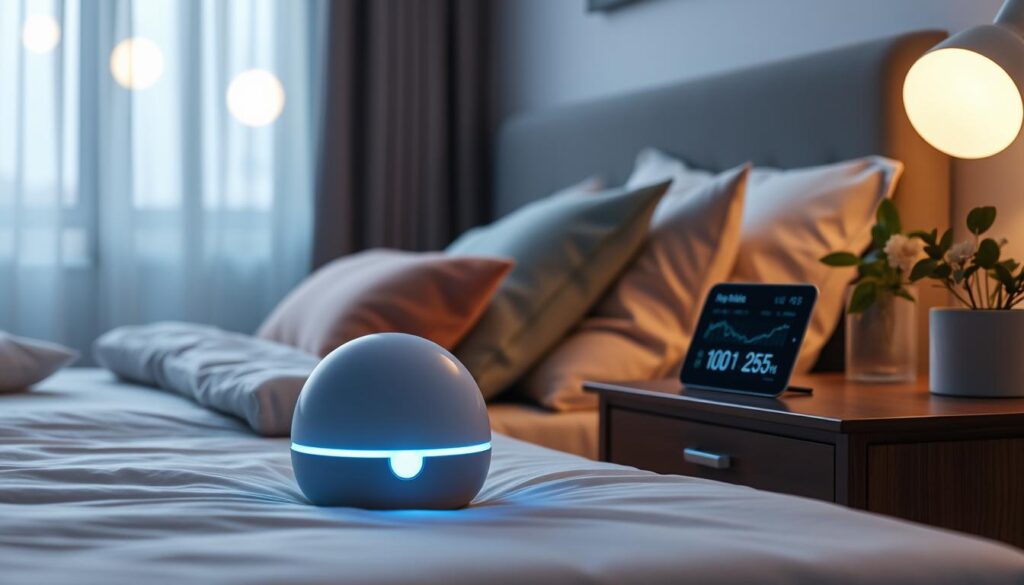
This system records core sleep metrics automatically, so tracking feels invisible and effortless. It captures stages, duration, and cardiac signals without a wearable and syncs to your health ecosystem.
What the mattress tracks
The cover auto‑captures sleep duration, stages, resting heart rate, HRV, and respiratory rate. Higher tiers can flag snoring and flag cardio/respiratory outliers as daily health checks.
Wearables versus a cover: accuracy trade-offs
Expect solid long‑term trends but occasional single‑night discrepancies. Motion can be misread as sleep and wake detection may lag if you lie still. Rings and watches may edge stage accuracy, while the cover wins on zero‑effort consistency.
Who benefits and practical uses
Busy people, couples, and non‑wearers get the most from this passive tracking. Use the app and Apple Health sync to compare streams, watch trends, and pair stage‑aware Autopilot temperature ramps to improve recovery.
- Core takeaway: treat nightly metrics as trends, not bedside verdicts.
- Actionable tip: edit wake times when needed and watch weekly patterns for true change.
Noise, Heat, and Space: The Hub’s Real-World Footprint
The hub needs floor space and clear air paths to stay quiet and efficient. Poor placement raises noise and forces the unit to work harder, which creates warm exhaust when cooling aggressively.
Where you place the hub changes how quietly and effectively the unit cools or heats.
The hub is taller than older models and usually won’t fit under a typical bed frame. Plan for side or floor placement next to the bed so vents get airflow.
On moderate settings the unit stays hushed. Push it to extreme cooling and both fans spin up, making noise and blowing warm exhaust into the room.
Route the long water tubes with gentle curves. Avoid sharp bends that can restrict flow and cause pump strain.
- One hub, two sides: simpler wiring and setup for a dual‑zone pod.
- Pre‑cooling saves time: schedule a short run before bedtime so the hub won’t sprint and get loud as you fall asleep.
- Bedroom tidy tips: hide tubes behind a headboard or nightstand to keep the look neat.
For a broader device comparison and real‑world tests, see this expert device roundup.
Durability, Maintenance, and Warranty: Living With It for Years
The right routine keeps a high-tech mattress cover humming quietly for many years. Simple care—scheduled top-ups, filter swaps, and quick inspections—prevents most issues and preserves performance.
Daily auto-priming, top-ups, and filter swaps
The cover’s daily auto-priming runs itself, so routine effort stays low. Every few months you’ll add distilled water to the tank to limit mineral buildup.
Filters arrive by mail and need changing about twice per year. Do this on a predictable schedule to avoid flow or fan strain.
Leak history, tubing improvements, and the 2-year warranty
Early units had pump-connection leaks. Tube-based covers in later models cut those reports significantly. Inspect tube connections when you change sheets to catch wear early.
Warranty basics: a standard 2‑year warranty covers manufacturing defects, and a 30‑night trial reduces purchase risk. Some subscriptions add extended protection—check current terms before buying.
- Use distilled water for longevity.
- Keep the hub vents dust‑free for quiet operation.
- Verify mattress compatibility before ordering the mattress cover.
Total Cost of Ownership: Price, Required Subscription, and Value vs Alternatives
Owning this active cover means budgeting beyond the sticker price. Expect a mandatory yearly subscription and optional accessories to shape the real long‑term cost.
Upfront price covers the cover and hub, but the first paid year of Autopilot (about $199) is required. Canceling after year one drops you to manual temperature control. You also lose scheduled heating/cooling, vibration alarms, and sleep health tracking in the app.
Pod 5 Ultra ups the rate with snoring‑related tools and extra analytics. The $1,000 cooling blanket adds strong top‑side effect but brings weight and extra hoses. Skip the blanket if you prefer lighter bedding or portability.
Competitors to consider include the Chilipad Dock Pro (effective cooling but louder and higher maintenance) and the BedJet (air‑based under‑bed feel). A simple, cold room with breathable bedding remains a low‑cost, high‑value option.
| Product | Base price | Key ongoing cost | Practical note |
|---|---|---|---|
| Base cover | Premium | Mandatory subscription (~$199/yr) | One hub controls both sides; best for couples |
| Pod 5 Ultra | Higher than base | Subscription + higher rate for extras | Adds snoring tools and advanced analytics |
| Cooling blanket | ≈ $1,000 | No recurring fee | Powerful but heavy; mirrors side temperature |
| Competitors (Dock Pro / BedJet) | Varies | Maintenance, possible two‑unit cost | Different feel; may need two units for dual zones |
Does Tech Beat Traditional Sleep Hygiene? The Head‑to‑Head That Matters
Which approach moves the needle most: consistent habits or adaptive temperature control? Both have clear wins; the right choice depends on who you are and your bedroom setup.
Can adaptive temperature control outperform good hygiene for real-world people and couples? The short answer: sometimes. If your nightly routine and room environment are solid, simple habits often suffice. If your nights are inconsistent, shared, or driven by building HVAC swings, targeted climate control can help.
When sleep hygiene alone wins
Single sleepers with a steady, cool bedroom and consistent wind‑down usually get the biggest benefit from basic practices.
Keep lights low, avoid late caffeine and alcohol, keep a fixed bedtime, and your nights will likely improve without tech.
When the system moves the needle
For couples, extreme seasonal swings, or people who won’t wear trackers, a dual‑zone cover adds real value.
- Partner harmony: independent side temps and vibration wakeups reduce friction.
- Micro adjustments: Autopilot uses nightly data to nudge comfort across the night so you wake more refreshed.
- Practical cases: inconsistent building HVAC and climates with big day/night swings.
How to build a stack: pair basics with Autopilot
Start with a cool, dark room and a steady routine. Then add pre‑cool before bed and a slight warm ramp at dawn.
Trust the system to make small adjustments, then fine‑tune manually if you still wake hot or cold. If you want more context on simple habits that helped me, see this biohack that improved my sleep.
Conclusion
This year’s model focuses on pragmatic gains—tactile controls, an optional blanket, and steady automation that fit real bedrooms. It polishes core temperature control and tracking rather than offering a radical shift.
Bottom line: the Pod 5 variant is the most polished eight sleep system yet, especially for couples who need separate comfort zones.
It’s not magic, but it is consistent. If nightly hot/cold swings bother you, this delivers hands‑off comfort and useful data.
Economics matter. Weigh the premium price and subscription against how much better you’ll sleep each night. Use the 30‑night trial and the two‑year warranty to decide.
Practical close: set a budget, plan your settings, and pair the unit with solid habits so the tech enhances—not replaces—good hygiene.
FAQ
What does the Pod 5 system actually do for sleep compared with good sleep hygiene?
The system actively controls mattress surface temperature, tracks biometrics, and offers timed temperature phases (bedtime, night, dawn) to support sleep-wake physiology. Good sleep hygiene (consistent schedule, dark room, low evening light, cool bedroom) remains foundational; the device adds precise thermal intervention and passive tracking that can improve sleep continuity for people with temperature-related wakeups or couples with different comfort needs.
Who is the Pod 5 best suited for and who should skip it?
Best for couples with differing temperature preferences, people who wake from overheating or cold, and users who value hands-off biometric tracking. Skip it if you sleep well in a stable bedroom temperature, prefer mattress-only solutions without a hub, or want a low-cost, no-subscription setup.
How did you rate comfort, control, and convenience in real-world use?
Comfort depends largely on mattress match and the fitted cover; control is strong thanks to dual‑zone thermal precision and new physical buttons; convenience hinges on hub footprint and subscription features. In short: excellent thermal control, good comfort retention if your mattress is compatible, and moderate convenience given initial setup and periodic maintenance.
The new unit reinstates tactile temperature buttons for quick adjustments without the app and improves blanket compatibility by redesigning the fitted-sheet style cover and routing for tubes. That makes late-night changes and using an additional cooling blanket easier than previous tappable-only interfaces.
How does Pod 5 compare to earlier models in meaningful ways?
Key changes include physical controls, a quieter hub with redesigned tubing, and updated firmware for more consistent autopilot phases. The core tech—water-based thermal exchange and mattress cover sensors—remains, but the user experience and reliability have notably improved.
What should I expect during setup and on day one in the bedroom?
Setup takes 30–60 minutes. You’ll install a fitted-sheet style cover, route tubes from the mattress to the hub, fill and prime the system, and connect the app. Expect an initial auto-priming cycle and a short learning period while Autopilot adapts to your sleep schedule.
Any tips for tube routing and the fitted-sheet cover?
Run tubes along the bed frame where they won’t kink, secure them with supplied clips, and avoid tight bends near the headboard. The fitted cover tucks under like a sheet but allows the tubing channels to sit flat—this minimizes pressure points and preserves mattress feel.
What temperature range and precision does the system offer?
The system covers roughly 55°F to 110°F, with a relative control scale often described as -10 to +10 in the app for fine tuning. Real-world control is precise enough to affect sleep physiology, though absolute extremes depend on room temperature and mattress insulation.
How do Autopilot phases and thermal alarms work?
Autopilot uses bedtime, night, and dawn phases to shift target temperatures across the night—cooling for sleep onset, stable temps during deep sleep, and warming toward wake time. Thermal alarms can wake a partner using temperature changes or gentle vibration rather than loud tones.
How fast does the system heat or cool the surface and does fan behavior affect sleep?
Heat/cool speed varies with the temperature delta and room conditions; moderate adjustments are noticeable within 10–30 minutes. The hub’s fan runs intermittently; newer hubs are quieter, but very noise-sensitive sleepers should expect some sound and place the hub away from the bedside.
Can it really manage two people’s comfort at once?
Dual-zone control lets each side use different targets, but the mattress boundary is physically narrow—thermal bleed and shared blankets can reduce effectiveness. It works well for many couples, especially when combined with a blanket strategy that isolates sides.
Will the system change how my mattress feels under me?
The fitted cover and tubing are designed to sit low-profile, so most users feel minimal change. If your mattress is very soft or has heavy zoning, you may notice slight differences in surface tension. Overall, it still feels like your mattress with added thermal layers.
Physical buttons provide immediate control without searching the phone—handy for groggy adjustments. The app remains necessary for detailed programming, but the buttons improve usability for late-night tweaks and for guests or children.
What kinds of wake alarms are available?
Options include gentle Rise vibration, temperature-based wake cues, and traditional sound via the app or paired device. Temperature wakeups are useful for those who respond well to gradual thermal change rather than abrupt noise.
What health metrics does the system track and how useful are they?
It tracks sleep stages, total sleep time, heart rate, heart rate variability (HRV), and respiratory rate via the mattress cover sensors. These metrics offer low-effort trend data useful for behavioral changes, though they’re less precise than chest straps or ECG-grade devices for clinical use.
How does mattress-based tracking compare with wearables and Apple Health sync?
Mattress tracking is passive and comfortable but can misclassify some stages versus wearables. The system supports Apple Health sync for consolidated data, making it practical for users who want automated logs without a wearable nightly burden.
Who benefits most from passive, zero-effort biometric data?
People wanting broad sleep trends, non-disruptive monitoring, and those tracking changes from interventions (temperature, routine) benefit most. Athletes or clinical patients who need high-precision HR/HRV should still use dedicated wearables for detailed analyses.
How big and noisy is the hub in real bedrooms?
The hub is compact but needs floor or bedside placement. Modern hubs are quieter than earlier generations; normal operation produces low mechanical sound and occasional fan cycles. Place the hub on a padded surface to reduce vibration transmission.
What maintenance is required and what about durability?
Routine tasks include periodic auto-priming, topping off water, and swapping any recommended filters. Tubing and fittings have been improved to reduce leak risk. The system includes a limited warranty—check current terms for duration and coverage.
Have there been leak issues historically and how has the design changed?
Early units had isolated reports of leaks; recent models improved tubing, connectors, and the base tray to reduce risk. Regularly inspect tubing and connections and follow the manufacturer’s fill/prime instructions to minimize problems.
What does total cost of ownership look like with subscription fees?
Expect a higher upfront cost plus optional autopilot/subscription fees for advanced features and insights. Cancelling a subscription may remove cloud features and some advanced sleep coaching, though core temperature control typically still functions.
Is the upgrade to an Ultra model or a cooling blanket worth it?
The Ultra or an added cooling blanket can improve peak cooling performance and faster temperature changes. For people who need aggressive cooling or who live in hot climates, the extra cost can be justified; others may find the base model sufficient.
What are practical competitors to consider?
Alternatives include the Chilipad Dock Pro for direct mattress cooling, BedJet for rapid air-based climate control, or simply optimizing a cool room with AC and blackout curtains. Each has pros and cons: water-based systems are steady and quiet; air-based systems are fast but can be noisier.
When does tech like this outperform strict sleep hygiene alone?
Technology helps most when temperature swings, partner differences, or physiological issues (night sweats, thermoregulatory problems) undermine sleep. If you already have consistent routines and a stable cool bedroom, hygiene may be enough; add targeted tech when those measures fall short.
How should I combine this system with traditional sleep hygiene for best results?
Stack interventions: keep a cool, dark bedroom; maintain consistent bed/wake times; use the device’s Autopilot to align thermal phases with your schedule; and limit evening light and stimulants. The device amplifies environmental consistency rather than replacing behavioral habits.